Transform Any Content Into a Learning Experience

CuriousSpark adapts any webpage to your comprehension level - from hands-on activities for curious kids to jargon-busted explanations for professionals.

Install Free Extension See How It Works

From Complex to Crystal Clear in Seconds

Whether it's a Wikipedia article, news story, or academic paper - CuriousSpark instantly transforms any content into something you (or your kids) can actually understand and enjoy.

Homeschool Parents Students Professionals ESL Learners
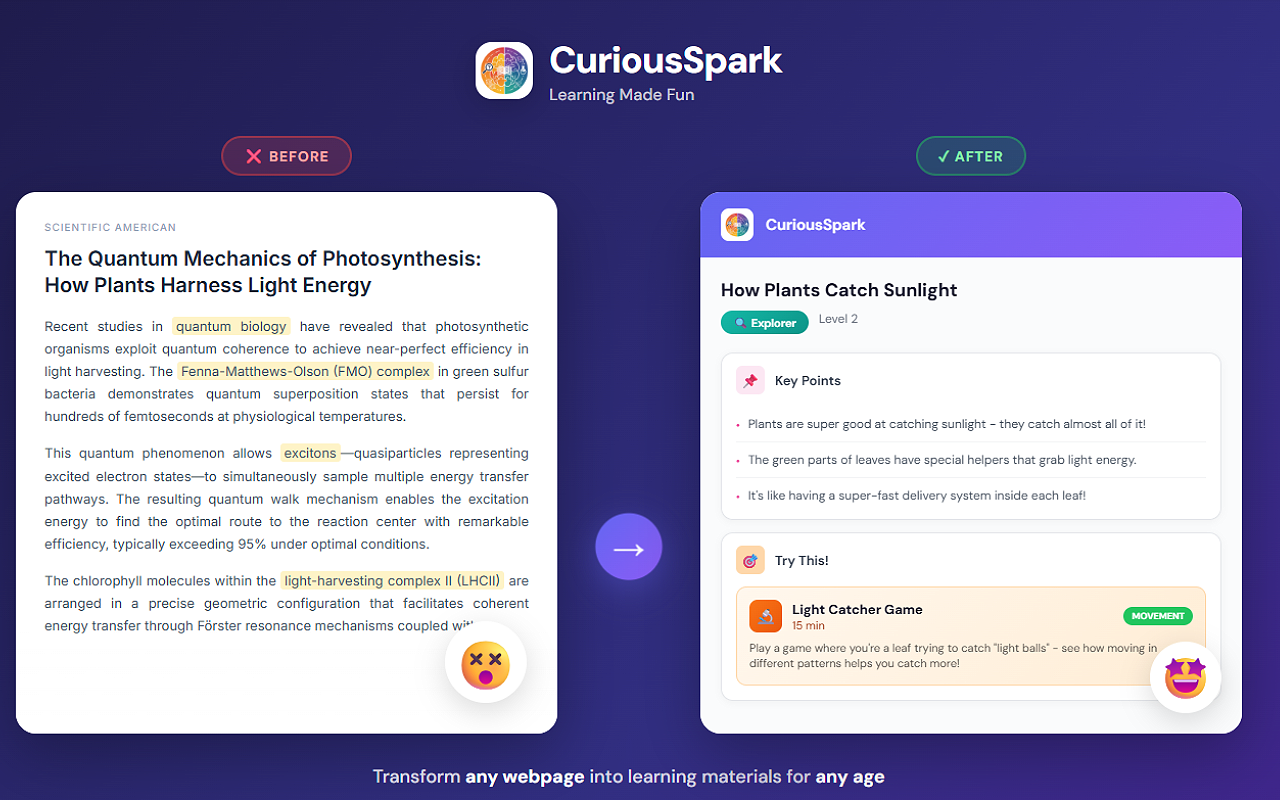
Before and after transformation - complex article becomes engaging learning content

Sound Familiar?

Complex content shouldn't be a barrier to learning.

Homeschool Parents

Spending hours turning articles into age-appropriate lessons with engaging activities.

Students

Struggling with complex textbooks and dense academic papers.

Professionals

Needing to understand content outside your domain (lawyer reading medical papers).

ESL Learners

Facing walls of complex English text that's hard to digest.

Three Modes for Every Learner

Choose the mode that fits your learning needs, then fine-tune with our 5-level complexity slider.

🎨

Explorer Mode

Perfect for Homeschool Parents & Kids Ages 5-10

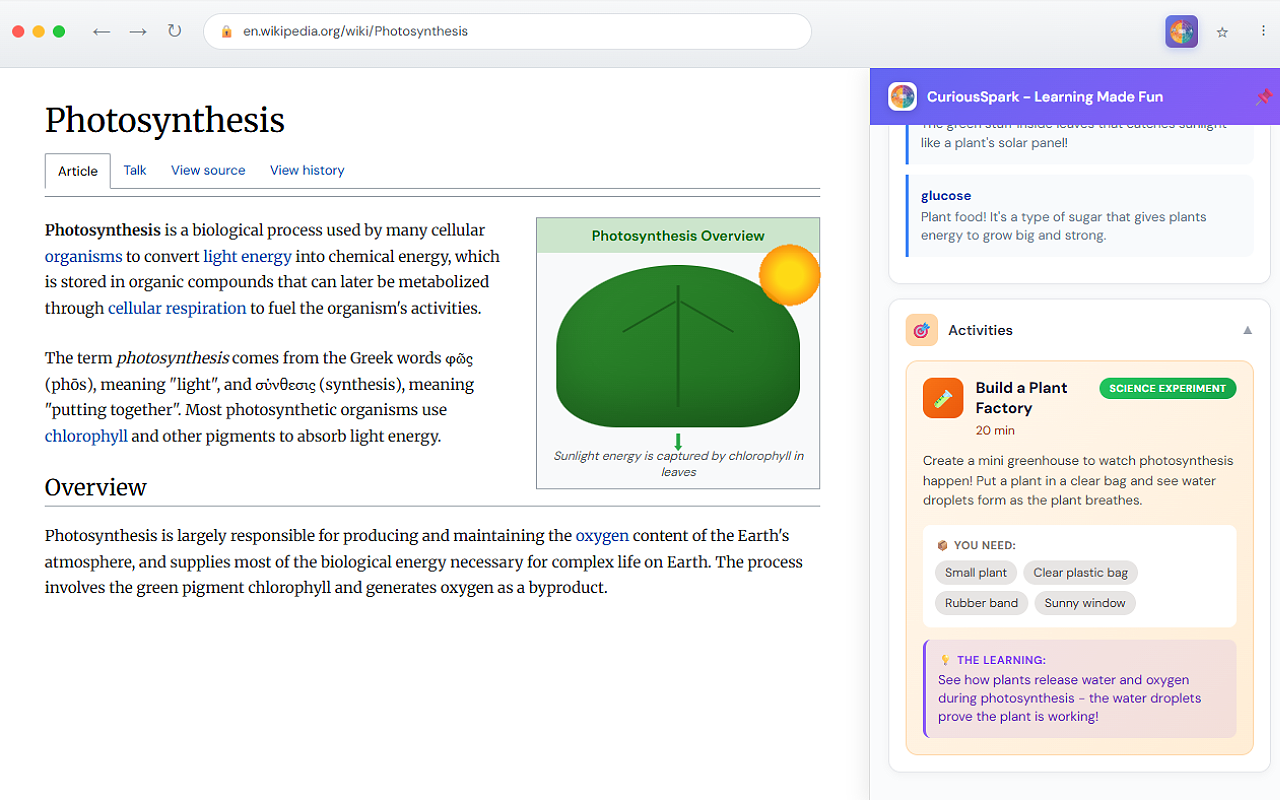
Turn any article into a hands-on learning adventure. CuriousSpark generates engaging activities using household items - so kids learn by doing, not just reading.

  • Child-friendly explanations they'll actually understand
  • 3 hands-on activity suggestions per topic
  • Materials lists using items you already have
  • Discussion questions to spark conversations
Explorer Mode showing hands-on activities generated from a Wikipedia article

📚

Student Mode

Ideal for Students Ages 11-18 & ESL Learners

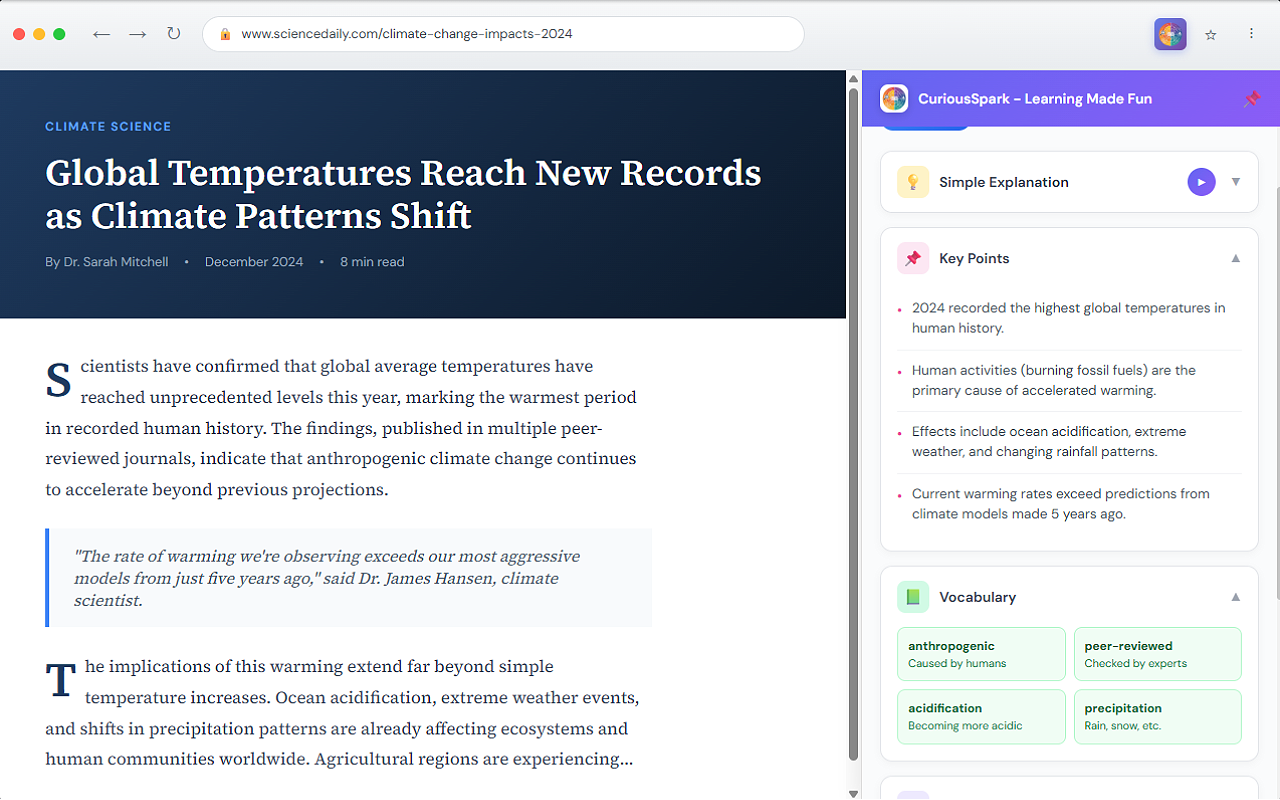
Transform complex textbooks and articles into clear study materials. Get key points, vocabulary definitions, and summaries that actually help you learn and remember.

  • Clear explanations at your chosen level
  • Key points highlighted for easy studying
  • Vocabulary with simple definitions
  • Perfect for exam prep and homework help
Student Mode showing study notes with key points and vocabulary

🎓

Academic Mode

Designed for University Students & Professionals

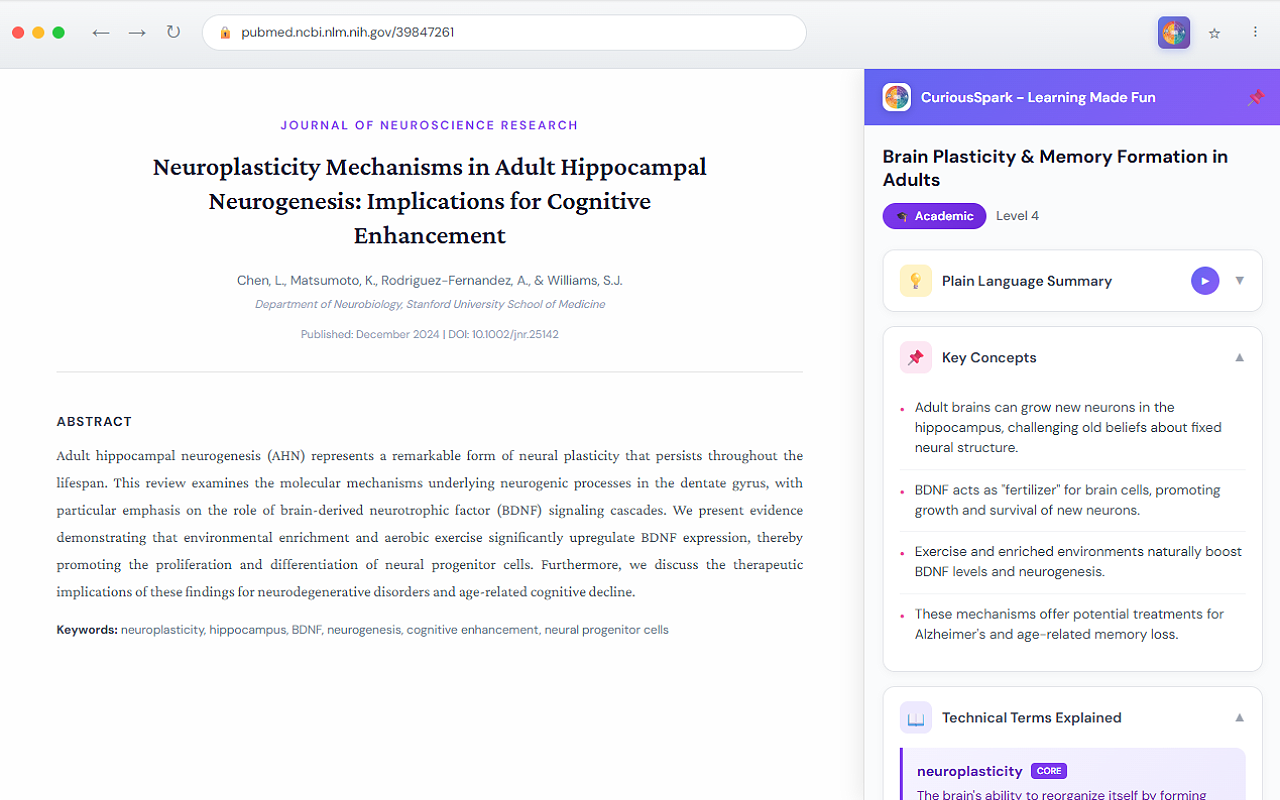
Finally understand content outside your domain. Whether you're a lawyer reading medical papers or an engineer reviewing legal contracts, get jargon-busted explanations instantly.

  • Complexity-adjusted explanations
  • Technical jargon defined inline and listed
  • Key concepts clearly extracted
  • Related topics for deeper research
Academic Mode showing jargon definitions from a research paper

Super Simple to Use

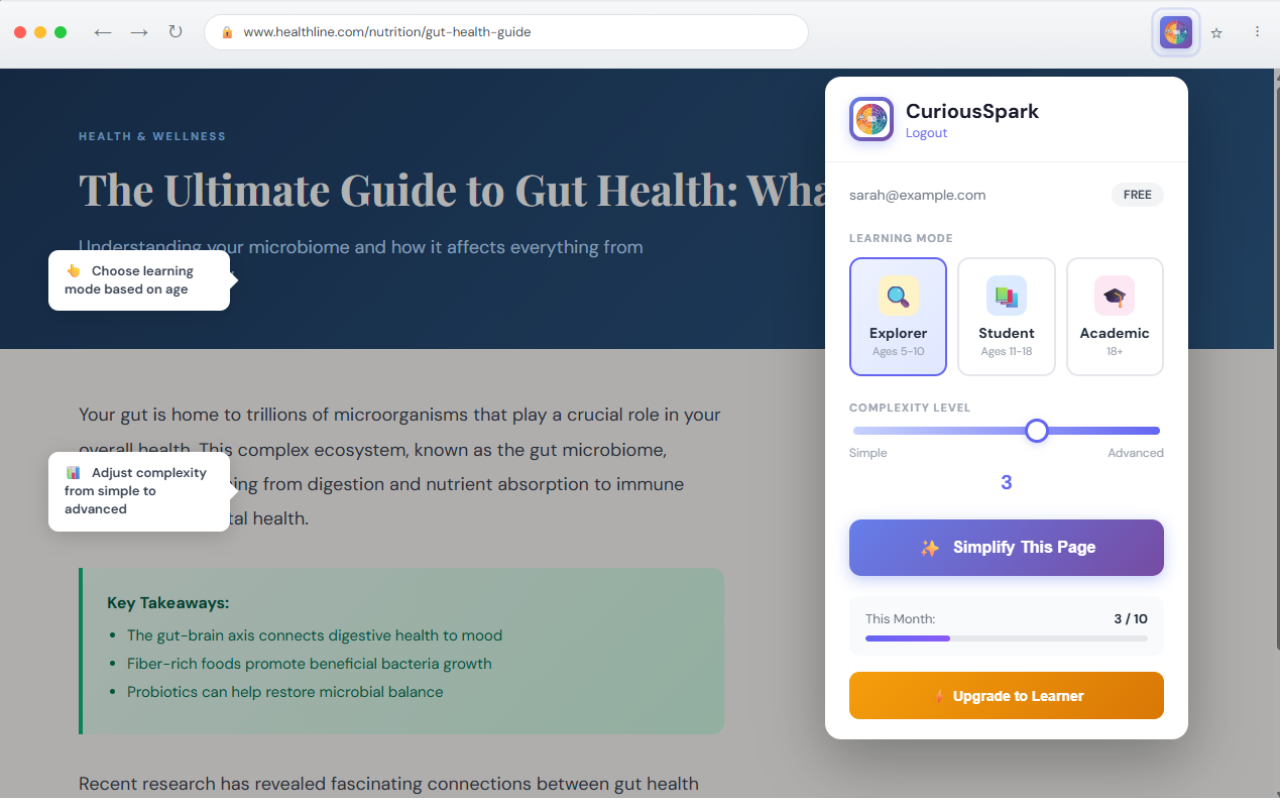
Click the extension, choose your mode and level, hit simplify. Results appear in seconds - right alongside your original content.

CuriousSpark extension popup showing mode selection and complexity slider

Simple, Transparent Pricing

Start free, upgrade when you need more.

Monthly
Annual Save up to 30%
Free
$0
Forever free
  • 10 simplifications per month
  • All three learning modes
  • 5-level complexity adjustment
  • Basic jargon definitions
Get Started
Family
$9.99/month
  • 1,300 simplifications per month
  • All three learning modes
  • 5-level complexity adjustment
  • Activity suggestions
  • Full jargon definitions
Get Family

Frequently Asked Questions

How does CuriousSpark work? +
CuriousSpark is a Chrome extension. When you're on any webpage, click the extension icon, choose your mode and complexity level, then click "Simplify This Page." Our AI transforms the content into age-appropriate learning materials in seconds.
What's the difference between the modes? +
Explorer Mode (ages 5-10) creates hands-on activities and child-friendly explanations. Student Mode (ages 11-18) provides study-focused content with key points and vocabulary. Academic Mode (18+) offers jargon-busted explanations for professionals and university students.
What counts as a "simplification"? +
Each time you click "Simplify This Page" on a webpage, that counts as one simplification. You can simplify the same page multiple times with different modes or levels.
Can I cancel my subscription anytime? +
Yes! You can cancel your subscription at any time. You'll continue to have access until the end of your billing period, then your account will revert to the free plan.
Is my data safe? +
Yes. We only process the text content of pages you choose to simplify. We don't store your browsing history or personal data. See our Privacy Policy for details.